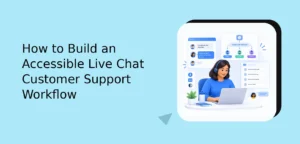
A live chat customer support workflow is the repeatable system your team uses to receive, prioritize, answer, escalate, and close customer conversations. The best workflows do more than reduce response times: they give agents the right context, make handoffs clearer, protect sensitive information, and create a consistent experience across every conversation.
To build one, map the customer journey from first message to final resolution, define ownership at each stage, create standards for response quality, connect conversations to helpful resources, and review performance regularly. Automation and AI can assist with repetitive work, but human judgment should remain available for complex, emotional, or high-risk requests.
What Makes a Live Chat Customer Support Workflow Effective?

An effective live chat customer support workflow balances speed, accuracy, empathy, and operational control. It should help an agent answer a simple question quickly without forcing them through unnecessary steps, while also giving the team a clear path for complicated issues such as billing disputes, damaged orders, account access problems, or technical incidents.
A practical workflow usually includes these stages:
- Conversation intake: Capture the visitor’s message, page context, customer details, and stated goal.
- Initial classification: Identify whether the request is sales-related, informational, technical, account-related, or order-related.
- Assignment: Route the conversation to the right person, team, or automated assistant.
- Investigation: Review relevant order, account, product, or previous conversation context.
- Resolution: Provide a clear answer, complete the requested action, or explain the next step.
- Follow-up: Confirm that the customer’s need was addressed and document any remaining work.
- Learning: Tag the conversation and use recurring questions to improve documentation, training, or the product.
Without these stages, support can become reactive. Agents may duplicate work, ask customers to repeat information, or close conversations before the underlying issue is solved. A workflow creates a shared operating model that makes good service easier to repeat.
1. Define the Customer Support Goals Before Choosing Automations
Start with the customer outcomes you want to improve. “Use more automation” is not a useful goal by itself. Better goals describe the experience and business result you want to create.
Examples include:
- Help customers find accurate answers without waiting for an agent.
- Reduce the number of conversations that require a second explanation.
- Make order and account questions easier to resolve.
- Give agents more time for complex or high-value conversations.
- Ensure urgent problems are identified and escalated quickly.
- Provide a consistent experience during evenings, weekends, or seasonal peaks.
These goals determine what your workflow needs. If the main issue is repeated product questions, a searchable help center and saved replies may have the greatest impact. If the main issue is slow routing, team assignment rules may matter more. If customers abandon checkout because they need reassurance, proactive chat and product-specific guidance may be appropriate.
For ecommerce teams, it is useful to separate support goals from conversion goals. A visitor asking about shipping times may need a quick sales answer. A customer asking about a delayed package needs ownership and follow-up. Both conversations happen in chat, but they should not follow exactly the same path.
2. Map the Main Conversation Types
Do not build one giant workflow for every possible message. Instead, identify the most common conversation types and give each one a simple path.
A starting taxonomy might include:
- Pre-sale questions: Product fit, availability, compatibility, shipping, returns, and pricing.
- Order support: Order status, address changes, delivery issues, cancellations, and returns.
- Account support: Login problems, profile updates, subscriptions, and access permissions.
- Technical support: Setup, integrations, bugs, errors, and troubleshooting.
- Billing support: Invoices, charges, refunds, plan changes, and payment failures.
- Feedback and complaints: Product suggestions, service concerns, and negative experiences.
For each category, document four things: the information an agent needs, the actions the agent can take, the situations that require escalation, and the expected follow-up. This turns a vague support request into an operational checklist.
Keep the first version manageable. You can begin with the five to ten request types that create the most volume or consume the most agent time. Expand the taxonomy only when the team has learned from real conversations.
3. Create a Clear Intake and Triage Process
Triage is the point where a new conversation is assessed and assigned a priority. A useful triage process should be fast enough for live chat but structured enough to prevent important issues from being overlooked.
Collect only the information that helps the team act. Depending on your business, that may include the customer’s name, email address, order number, product, account type, or a short description of the issue. Avoid asking for sensitive information that your team does not need.
Use a few practical priority levels:
- Routine: General questions that can be answered with documentation or a standard reply.
- Important: A problem affecting an active customer, order, account, or project.
- Urgent: A security concern, payment issue, widespread outage, account lockout, or serious service failure.
Priority should be based on impact and risk, not simply on who writes the most forcefully. Give agents examples of each level so that classification is consistent across the team.
When possible, route conversations according to skill or ownership. A billing question should not sit in a general queue if a billing-trained agent is available. A technical issue should include the relevant product or integration before it reaches an engineering escalation.
4. Design the First Response for Clarity, Not Just Speed
A fast first response is useful only when it moves the conversation forward. A generic message such as “How can I help?” may be appropriate in some contexts, but it often makes the customer repeat information already visible in the conversation or form.
A stronger first response usually does three things:
- Acknowledge the customer’s request.
- Show what you understand so far.
- Ask for one focused piece of information or explain the next action.
For example: “I can help check the delivery status of that order. I’ll first review the tracking details, and then I’ll let you know whether the package is still in transit or needs a follow-up with the carrier.”
This style reduces uncertainty. It also helps customers understand why an agent is asking a question, which can make the interaction feel more deliberate and less like a script.
For more practical guidance on improving response speed without sacrificing quality, review this guide to live chat response time.
5. Give Agents the Context They Need
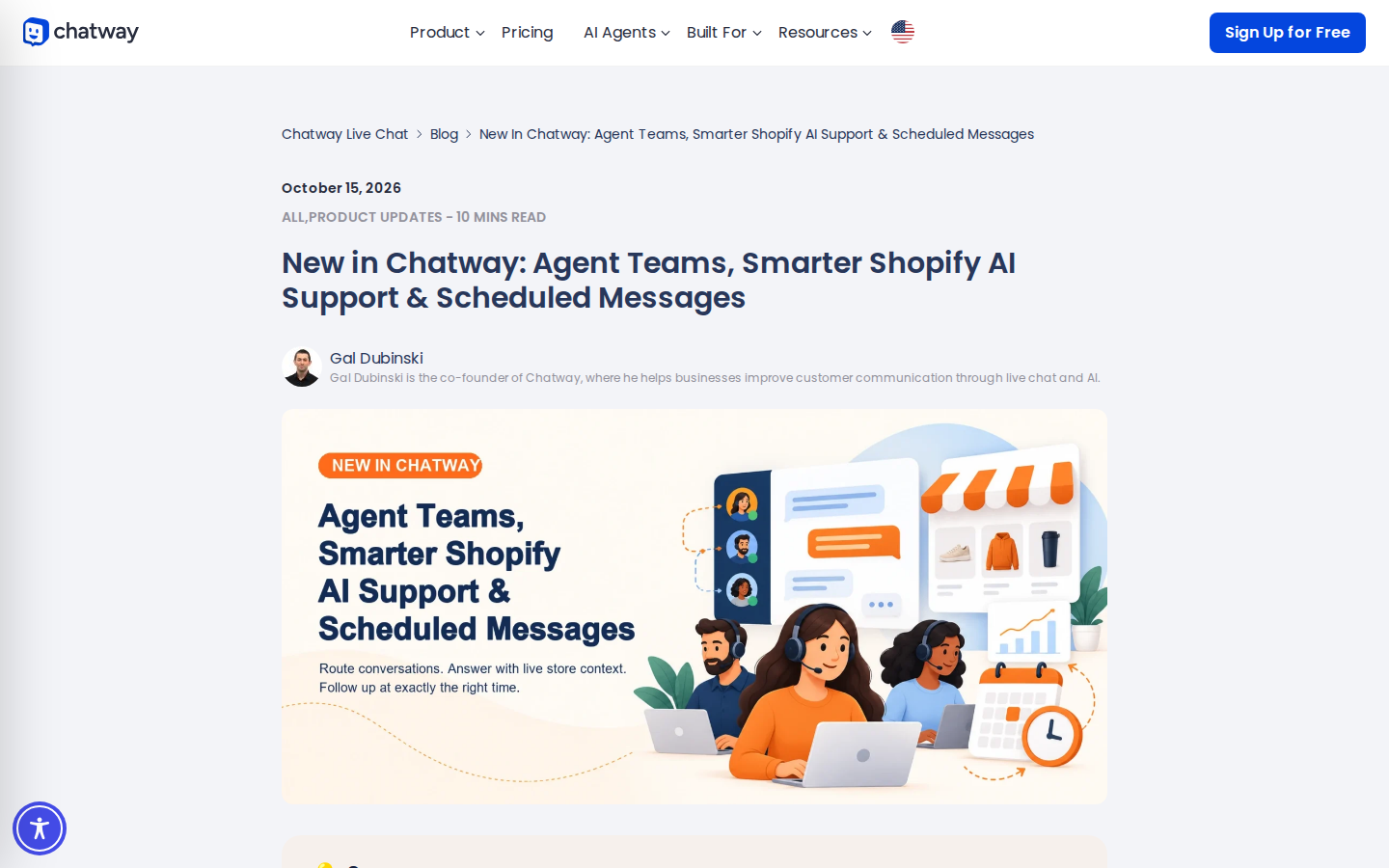
Agents should not have to search across disconnected tools for basic context. Before a conversation is assigned, make relevant information easy to access. Depending on your business, that may include the customer’s previous conversations, order history, plan, recent website activity, product, or open tickets.
Context does not mean displaying everything. Too much information can slow agents down and increase the chance of mistakes. Show the details that help answer the current question, then provide a path to deeper records when necessary.
For example, an ecommerce support agent may need:
- Order number and order date.
- Items purchased and fulfillment status.
- Shipping method and tracking status.
- Return or refund eligibility.
- Previous messages about the same order.
A software support agent may need:
- Workspace or account identifier.
- Current plan and relevant permissions.
- Product area or integration involved.
- Error message or reported behavior.
- Recent troubleshooting steps.
Good context prevents repetitive questions and makes handoffs less frustrating. It also improves internal collaboration because the next agent can understand what has already happened.
6. Build a Knowledge Base That Supports Conversations
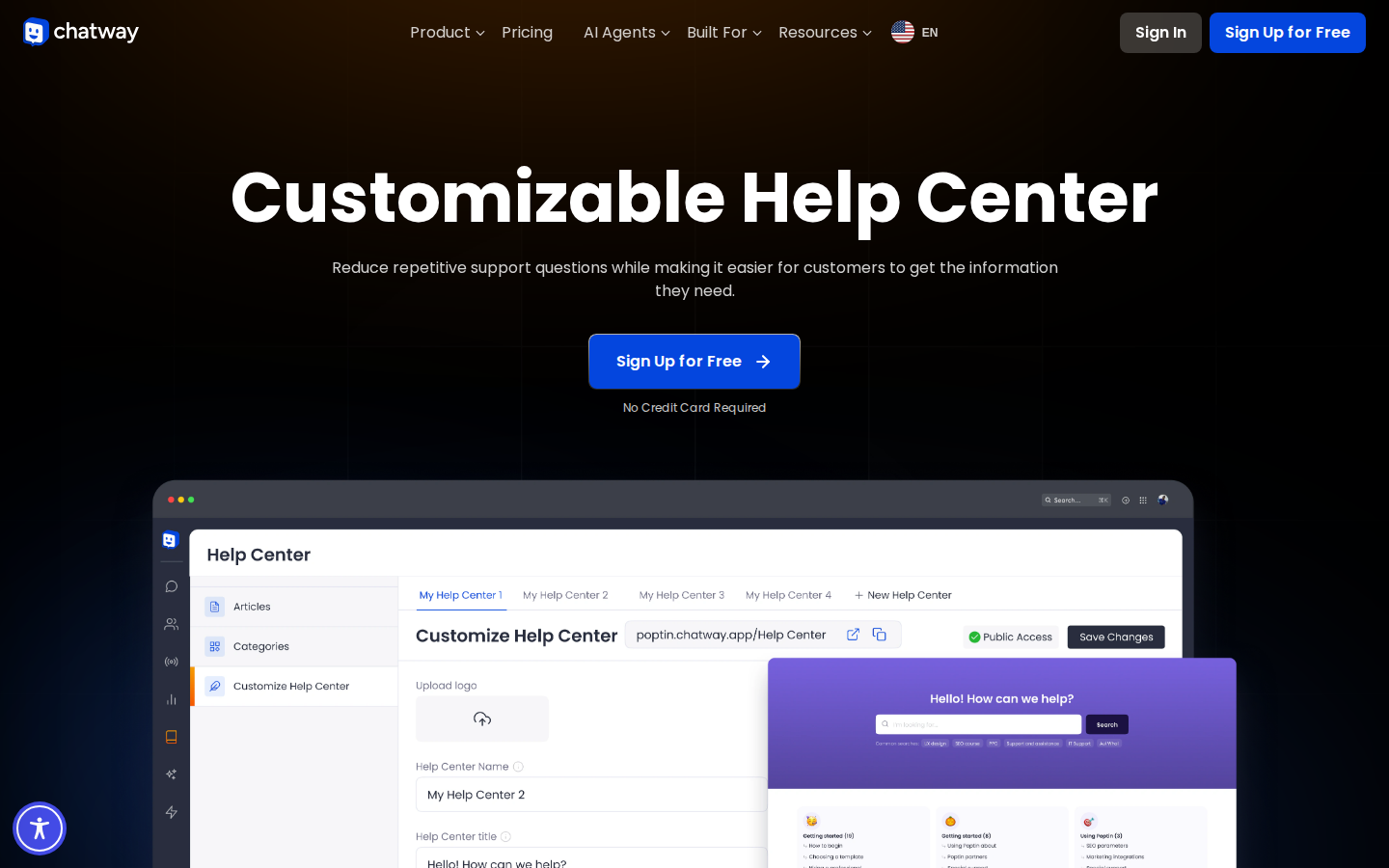
A knowledge base should not be treated as a separate content project. It is part of the support workflow. Agents can use it to find accurate answers, while customers can use it to solve straightforward problems independently.
Start with articles based on real conversation volume. The best first articles often answer questions such as:
- How do I get started?
- How long does delivery take?
- How do I change or cancel an order?
- What should I do if I cannot log in?
- Which products, plans, or integrations are compatible?
- How do I request a refund or update billing details?
Write each article around one customer task. Use descriptive headings, short paragraphs, numbered steps, screenshots where they genuinely clarify the process, and a clear explanation of what to do if the steps do not work.
Review articles when the product changes or when agents repeatedly correct the same information. A stale help article can create more work than no article at all.
For a deeper framework, see these benefits of a knowledge base for customer support.
7. Use Saved Replies Without Making Conversations Robotic
Saved replies are useful for recurring questions, but they should provide structure rather than replace judgment. A good saved reply gives the agent a reliable starting point while leaving room for personalization.
Organize saved replies by job to be done, not by internal department names. “Explain return eligibility” is easier to use than “Returns macro 4.” Include a short explanation, the next action, and any relevant policy language.
Agents should review every saved reply before sending it. They need to confirm that the customer’s situation matches the message, remove irrelevant sections, and add details specific to the conversation.
Also create response guidance for difficult moments. A library of examples for delays, mistakes, refunds, angry customers, and technical limitations helps agents stay calm and consistent. These examples should support empathy and transparency rather than encourage empty apologies.
8. Set Escalation Rules That Protect the Customer Experience
Escalation is not a failure. It is a controlled transfer to someone with the authority, knowledge, or access needed to resolve the issue.
Define escalation triggers in plain language. Examples include:
- A suspected account takeover or security incident.
- A payment dispute or repeated billing failure.
- A legal, regulatory, or privacy request.
- A product defect affecting multiple customers.
- A customer requesting an exception outside the agent’s authority.
- A conversation involving threats, harassment, or personal safety concerns.
Every escalation rule should answer three questions: who owns the next step, what information must be included, and when the customer should receive an update. Never transfer a conversation without context. A handoff note should summarize the issue, relevant facts, actions already taken, and the requested outcome.
If the customer must wait, say so clearly. Give a realistic update window rather than promising an immediate resolution that the team cannot guarantee.
9. Protect Personal Information in Chat Conversations
Live chat often contains personal, account, order, or payment-related information. Your workflow should make safe behavior easy for agents and customers.
The Federal Trade Commission’s guidance on protecting personal information recommends knowing what information a business holds, limiting what it keeps, protecting what it needs, disposing of unnecessary information securely, and planning for incidents. These principles apply to chat transcripts, exports, internal notes, and connected systems.
Practical safeguards include:
- Tell customers not to send passwords, full payment card numbers, or unnecessary identity documents in chat.
- Use approved verification steps before changing account details or discussing sensitive records.
- Limit access to conversations according to role and business need.
- Define how long transcripts and attachments should be retained.
- Review integrations and exports that copy conversation data into other systems.
- Train agents to recognize phishing, impersonation, and social engineering attempts.
Security guidance should be part of onboarding and refresher training, not hidden in a policy document that agents rarely open.
10. Make the Chat Experience Accessible
A chat widget should be usable by as many visitors as possible, including people who navigate with a keyboard, use assistive technology, or need additional time to read and respond.
The Web Content Accessibility Guidelines 2.2 provide an international technical standard for making web content more accessible. When reviewing a chat experience, pay attention to keyboard access, focus visibility, readable contrast, clear labels, understandable error messages, and whether important status updates are communicated accessibly.
Test the complete flow, not just the closed widget. A customer should be able to open chat, read messages, enter text, submit a message, understand the current status, and close or return to the conversation without becoming trapped.
Accessibility also improves usability for everyone. Clear labels, predictable controls, readable messages, and transparent status updates help customers on mobile devices, slow connections, or busy environments.
11. Add Automation Where It Removes Repetition
Automation works best when it removes low-value repetition while preserving a clear path to human help. Useful examples include greeting visitors, collecting an order number, suggesting relevant help articles, identifying a product category, or routing a conversation to the right team.
Automation should not create a maze. Give customers a visible way to reach an agent when the automated path does not solve the problem. Avoid asking the same question multiple times across a bot, form, and agent conversation.
AI can help summarize conversations, suggest replies, classify topics, and identify missing information. Agents should still verify important claims before sending them, especially when the response concerns refunds, account access, product limitations, or sensitive customer data.
For teams exploring connected AI workflows, this guide explains how to connect Chatway to external AI agents using MCP.
12. Build a Proactive Ecommerce Support Path
In ecommerce, live chat can support both customer service and purchase confidence. The key is to intervene when help is relevant, not interrupt every visitor.
Useful proactive moments may include:
- A visitor spends time on a product comparison or sizing page.
- A customer returns repeatedly to shipping, returns, or delivery information.
- A shopper adds a product to the cart but appears uncertain before checkout.
- A customer encounters an error during payment or account creation.
- A returning customer needs help with an existing order.
Messages should identify the likely need without making assumptions. “Need help choosing the right size?” is more useful than a generic sales prompt. The agent should then have access to the relevant product, policy, or order information.
For more ideas, explore these practical strategies for reducing cart abandonment with live chat.
13. Measure Quality and Productivity Together
Speed is important, but it is not the same as quality. A team that closes conversations quickly without resolving the real issue may create repeat contacts, negative feedback, and additional work later.
Track a balanced set of indicators, such as:
- First response time.
- Time to resolution.
- Resolution rate.
- Reopen or repeat-contact rate.
- Customer satisfaction feedback.
- Escalation rate and escalation reasons.
- Conversation volume by topic.
- Usefulness of saved replies and help articles.
Review metrics by conversation type. A long technical conversation may be successful even if it has a higher handling time than a simple shipping question. Likewise, a short conversation may be a poor outcome if the customer contacts the team again the next day.
Combine quantitative data with conversation reviews. Read a sample of resolved, escalated, reopened, and low-rated conversations. Look for patterns: unclear policies, missing product information, unnecessary transfers, weak saved replies, or questions that should be answered proactively on the website.
14. Create a Weekly Workflow Improvement Loop
A live chat workflow should evolve as your customers, products, and team change. Set aside regular time to review what the conversations are telling you.
A simple weekly review can include:
- Identify the top recurring conversation topics.
- Review conversations that were reopened or escalated.
- Find one help article or saved reply that needs improvement.
- Check whether routing rules sent conversations to the right team.
- Review one quality or security concern with the team.
- Choose one small workflow change to test during the next week.
Small, consistent improvements are easier to adopt than a major redesign every few months. They also help agents feel that their experience is shaping the system, rather than forcing them to work around it.
How Can a Small Support Team Start?
A small team does not need a complex service operation to begin. Start with a basic workflow that covers intake, classification, ownership, response, escalation, and follow-up.
Document the ten most common questions, create a small set of editable saved replies, define three or four escalation triggers, and decide which metrics you will review each week. Then ask agents where customers get stuck and where internal work is being repeated.
As volume grows, add routing rules, customer context, help center content, automation, and specialized teams. The goal is not to automate every interaction. The goal is to make the right action obvious at each stage of the customer journey.
Frequently Asked Questions About Live Chat Customer Support Workflows
What is a live chat customer support workflow?
A live chat customer support workflow is a defined process for receiving, classifying, assigning, answering, escalating, and closing customer conversations. It gives agents consistent guidance while allowing them to adapt responses to each customer’s situation.
What should a live chat workflow include?
It should include conversation intake, triage, ownership, response standards, customer context, knowledge resources, escalation rules, privacy safeguards, follow-up expectations, and performance reviews.
How can live chat agents respond faster without reducing quality?
Give agents relevant customer context, searchable documentation, well-maintained saved replies, clear routing rules, and authority to resolve common issues. Measure resolution and repeat contacts alongside response time so speed does not become the only goal.
When should a live chat conversation be escalated?
Escalate when the issue involves security, privacy, payment disputes, technical incidents, legal or regulatory concerns, serious service failures, or a decision outside the agent’s authority. Include a concise handoff summary so the customer does not need to repeat the problem.
Can AI be part of a live chat support workflow?
Yes. AI can help classify conversations, suggest replies, summarize context, surface help articles, and handle repetitive questions. Human review remains important for sensitive, complex, emotional, or high-impact requests.
How often should a support workflow be reviewed?
Review performance and recurring issues weekly or biweekly, depending on conversation volume. Perform a broader workflow review whenever you launch a major product change, introduce a new channel, change policies, or notice a sustained increase in escalations or repeat contacts.