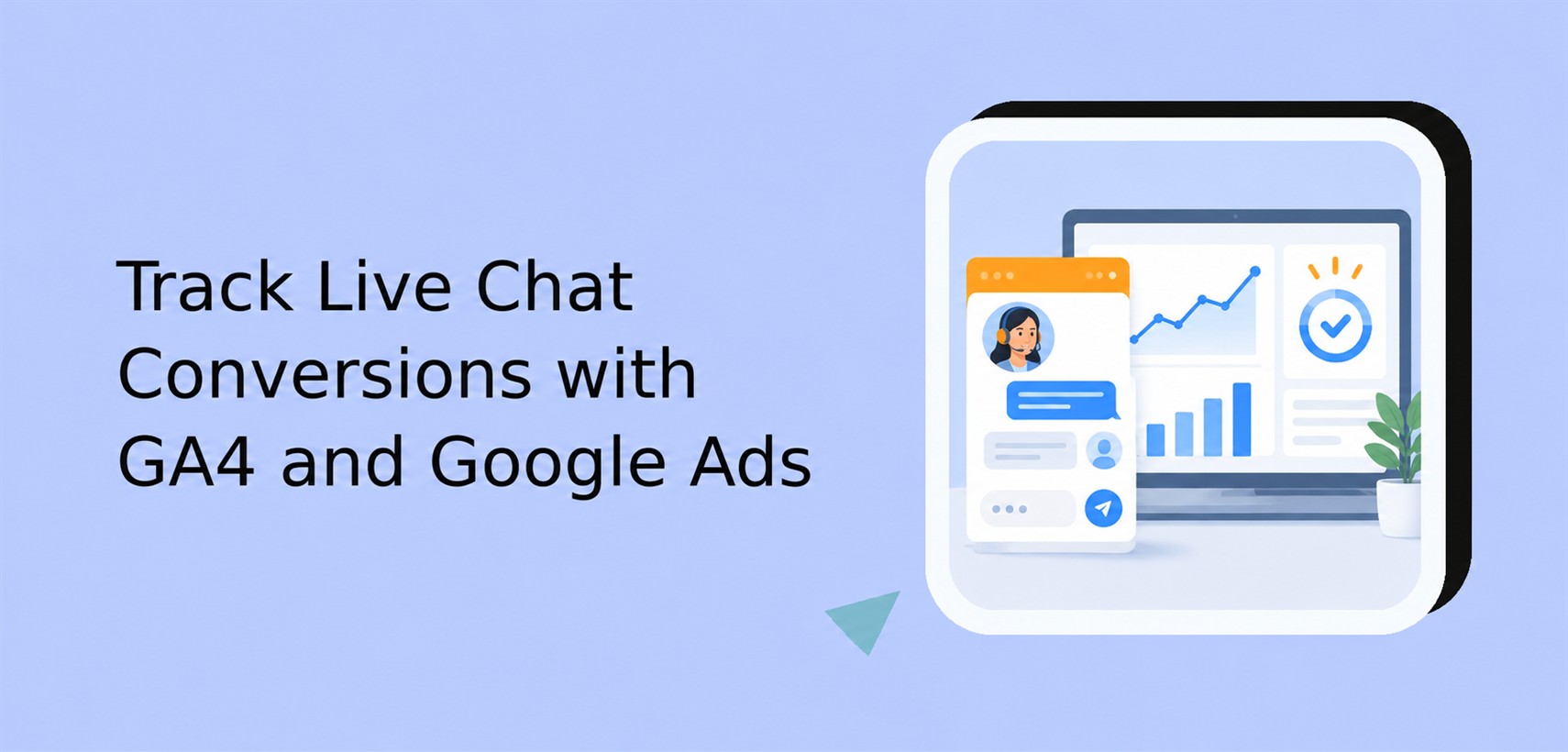
Chatway is introducing a Google Analytics 4 integration that connects live chat activity with the analytics and advertising tools businesses already use. Users on any paid Chatway plan can track important widget interactions as GA4 events, decide which additional events matter to their business, and configure selected actions for Google Ads conversion measurement.
Live chat often plays an important role in a visitor’s journey, but its impact can be difficult to see alongside page views, campaigns, and other website activity. A visitor may open the widget, ask a pre-sale question, submit a contact form, or choose WhatsApp instead of completing a website form. When these interactions are measured consistently, teams can better understand how chat supports engagement and conversion.
Bring Chatway activity into your GA4 reports
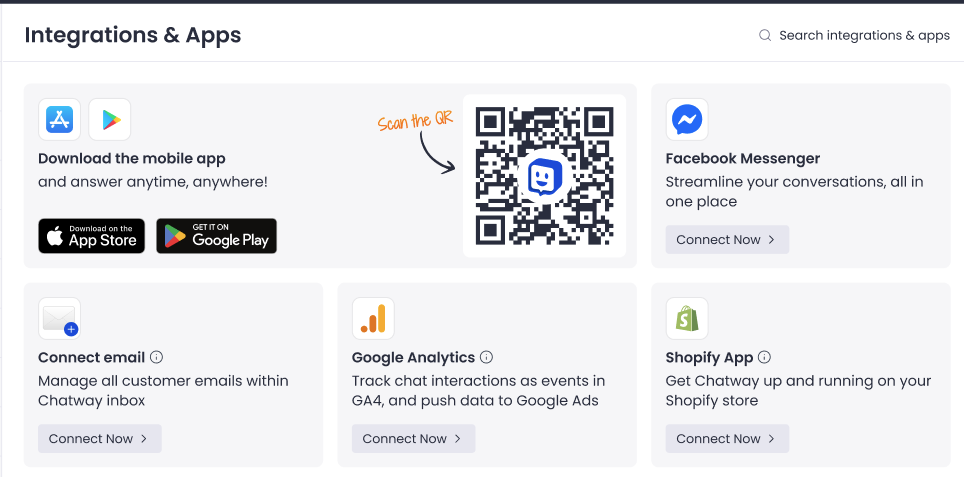
The integration is designed to send Chatway widget interactions to Google Analytics 4 as events. Instead of treating live chat as a separate channel with no connection to website analytics, businesses can review chat activity alongside the rest of the customer journey.
Examples of trackable interactions include:
- A visitor opening or closing the Chatway widget
- A visitor sending their first live chat message
- A visitor submitting the chat contact form
- A visitor starting a new conversation
- A visitor opening an FAQ inside the widget
- A visitor submitting a chat rating
- A visitor clicking a connected channel such as WhatsApp, email, Instagram, Messenger, Telegram, phone, or another enabled option
- An agent ending a conversation
These events can help answer practical questions. Are visitors who open live chat more likely to contact the business? Which campaigns produce the most first messages? Do visitors frequently move from the widget to WhatsApp or another channel? Which pages encourage people to begin a conversation?
Start with useful default events
Chatway provides a practical set of events for common live chat interactions. This reduces the work required to define every action from scratch and gives teams a consistent starting point for their reports.
Each tracked interaction appears as an event with a descriptive label and the category Chatway Live Chat. This makes it easier to identify Chatway activity in GA4 and distinguish it from unrelated website events.
Google recommends using existing automatically collected or recommended events when they fit a use case, and custom events when a business needs to measure an interaction that is specific to its website or product. Chatway’s event names are designed for chat-specific actions that are not covered by standard page-view reporting.
Customize event tracking around your goals
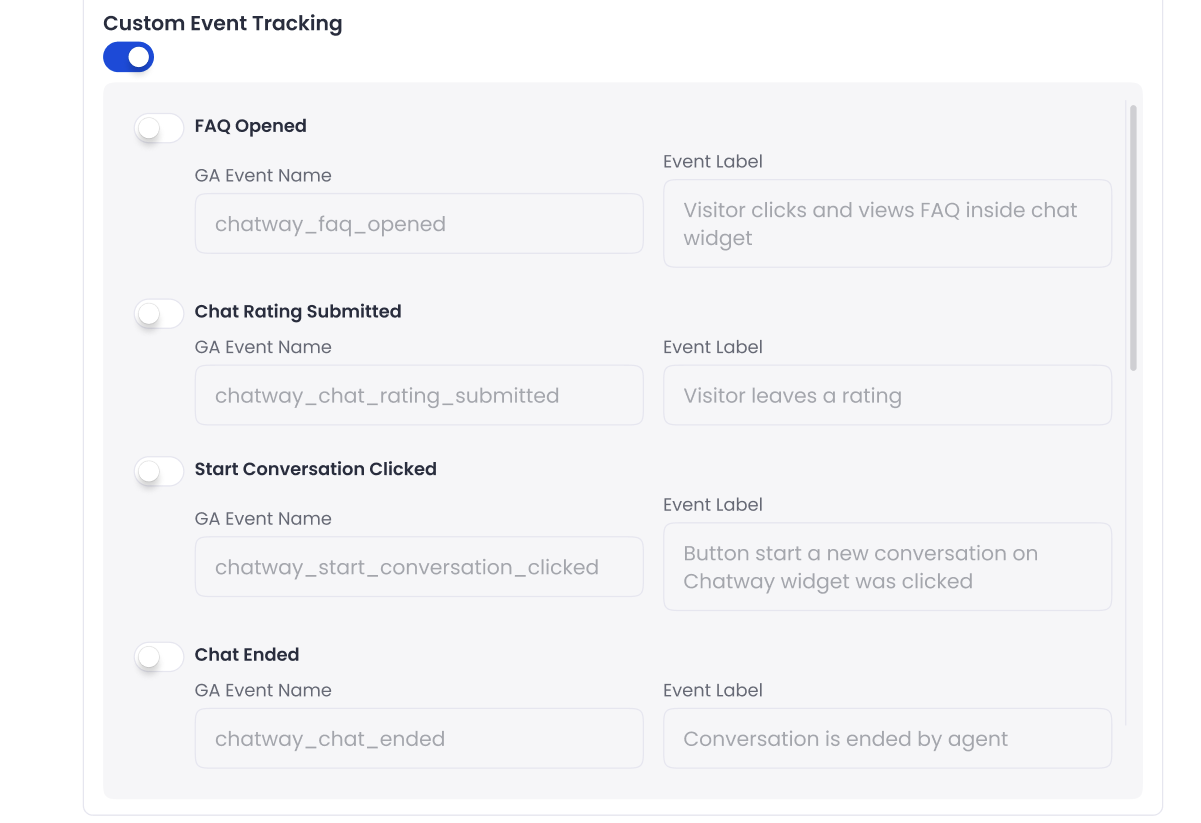
Not every business needs the same analytics setup. A sales-focused team may care most about the first message a visitor sends. A support team may want to understand FAQ usage and conversation ratings. A business that offers several contact options may focus on clicks to WhatsApp, email, phone, or social channels.
With custom event tracking enabled, Chatway users can choose which supported events should be active and rename events where needed. This allows the analytics setup to reflect the actions that matter most to the business instead of filling reports with unnecessary signals.
Consistent naming is important. GA4 event names are case-sensitive, and Google requires custom event names to begin with a letter and use only letters, numbers, and underscores. Before renaming an event, teams should agree on a naming convention and keep a record of how each event is used in reports, audiences, and advertising workflows.
Measure selected Chatway interactions as Google Ads conversions
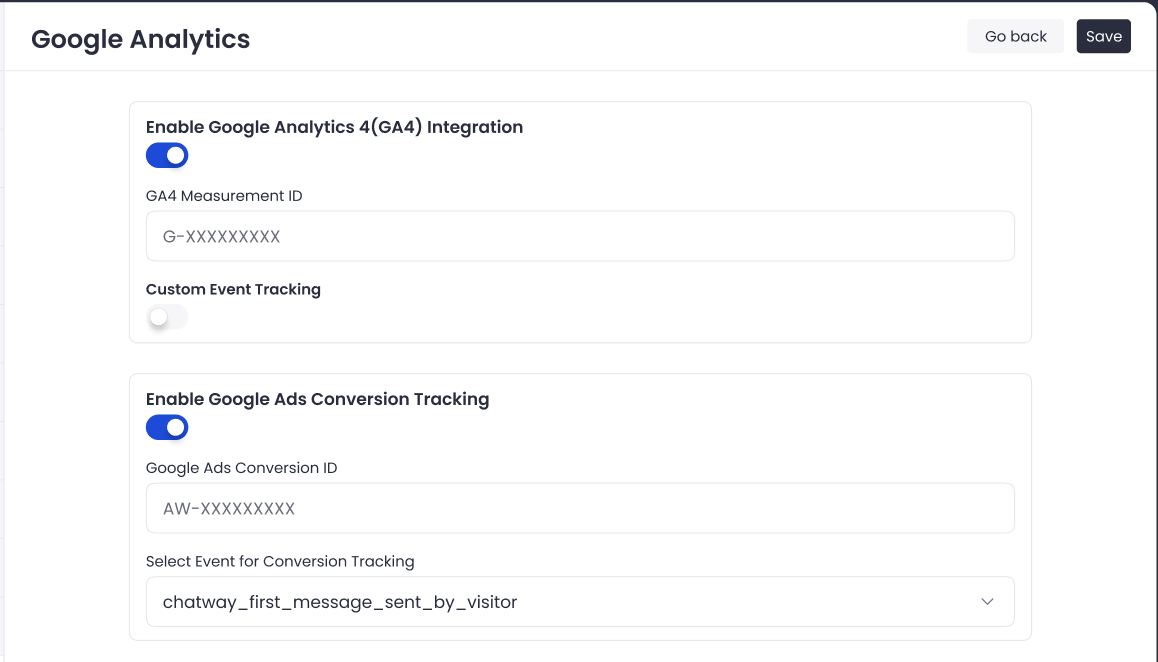
The integration also supports Google Ads conversion tracking. This gives businesses a way to treat selected chat interactions as meaningful outcomes rather than looking only at page visits or form submissions.
For example, a business may decide that a visitor’s first live chat message is a valuable conversion because it represents a direct request for help, a product question, or a sales opportunity. Another business may prefer to measure a contact-form submission or a click to WhatsApp. The appropriate conversion depends on the campaign objective and how the team defines a qualified action.
Google Ads conversion measurement still requires the correct Google tag and conversion configuration on the website. The relevant conversion action must be created in Google Ads, and the Conversion ID and Conversion Label must match the website setup. Chatway helps send the selected interaction, while Google Ads remains responsible for attribution and reporting.
What you need before enabling the integration
Before turning on Chatway’s GA4 integration, confirm that Google Analytics is already installed and loading on the website. If Google Ads conversion tracking will also be used, configure the appropriate Google Ads destination or conversion action as part of the site’s Google tag setup.
A typical setup includes:
- Install or verify the Google tag on the website.
- Confirm that the tag sends data to the correct GA4 property.
- Open Chatway’s Integrations area and enable Google Analytics 4.
- Optionally enter the GA4 Measurement ID when the website uses multiple Analytics destinations or when you want Chatway events sent to a specific property.
- Choose the Chatway events you want to track and customize their names if required.
- If using Google Ads, create the website conversion action and enter its Conversion ID and Conversion Label.
- Trigger a test interaction and verify the event in GA4 Realtime or DebugView before relying on it in reports or campaigns.
A Measurement ID is optional in Chatway. When one is provided, it helps direct Chatway events to the intended GA4 destination. If it is omitted, the integration can use the Google Analytics configuration already present on the website.
Turn live chat data into clearer marketing decisions
Connecting Chatway with GA4 can make reporting more complete. Marketing teams can compare campaigns by the number of chat conversations they generate. Sales teams can see which landing pages encourage visitors to ask questions. Support teams can review how often visitors open FAQs or move to another contact channel.
The data can also help businesses improve the widget experience. If many visitors open the widget but few send a message, the greeting, placement, or call to action may need attention. If a large share of visitors click a particular external channel, that channel may deserve more prominent placement or dedicated staffing.
For advertising teams, a chat interaction can become another signal for evaluating campaign quality. Rather than optimizing only for traffic, a team can examine whether paid visitors begin meaningful conversations. As with any conversion strategy, the selected event should represent genuine business value and should be tested before it is used for bidding decisions.
Important considerations for accurate reporting
Analytics and conversion data depend on the surrounding Google setup. Browser privacy controls, consent settings, ad blockers, incorrect tag IDs, and configuration differences can affect whether events appear in GA4 or Google Ads. Chatway cannot replace the website’s consent-management process or Google’s reporting and attribution rules.
After setup, test the complete journey on the live website:
- Confirm that the Google tag loads on the page.
- Open the Chatway widget and trigger the interaction you want to measure.
- Check GA4 Realtime or DebugView for the corresponding event.
- Verify that renamed events use the same spelling and capitalization everywhere they are referenced.
- For Google Ads, check that the conversion action uses the correct Conversion ID and Conversion Label.
Google notes that conversion-status updates can take time after a tag is installed or corrected, so an event may not appear immediately in every Google Ads report.
Frequently asked questions
Which Chatway plans include the GA4 integration?
The Google Analytics 4 integration is available on all paid plans. Free accounts will need to upgrade to a paid plan to use it.
Do I need to install Google Analytics before enabling the integration?
Yes. The Google tag must be installed and loading on your website so GA4 can receive the events. Chatway adds live chat interaction events to that analytics setup; it does not create the GA4 property or install the website’s Google tag for you.
Is the GA4 Measurement ID required in Chatway?
No. The Measurement ID is optional. You can provide one to direct Chatway events to a specific GA4 web stream. If you leave it blank, the integration can use the Google Analytics configuration already installed on the site.
Can I choose which Chatway events are tracked?
Yes. Custom event tracking allows you to enable or disable supported events and customize their names. Keep event names consistent with GA4’s naming rules.
Can Chatway send events to Google Ads?
Chatway can send selected interactions for Google Ads conversion measurement when the required Google tag and conversion action are configured. You will need the correct Conversion ID and Conversion Label from Google Ads.
Can I connect multiple Google Analytics accounts?
The initial integration supports one Google Analytics account per Chatway account.
Measure the conversations that move your business forward
Live chat is more than a support channel. It can reveal buying intent, product questions, service friction, and the moments when visitors decide to contact a business.
Ready to connect Chatway conversations with your analytics? Enable the Google Analytics 4 integration, choose the events that matter to your team, and use better live chat data to understand engagement and improve conversion tracking.
Learn more about GA4 custom events, GA4 event naming rules, and Google Ads conversion tracking with the Google tag. Then sign up for Chatway or upgrade to a paid plan to get started.